Physical Address
304 North Cardinal St.
Dorchester Center, MA 02124
Physical Address
304 North Cardinal St.
Dorchester Center, MA 02124

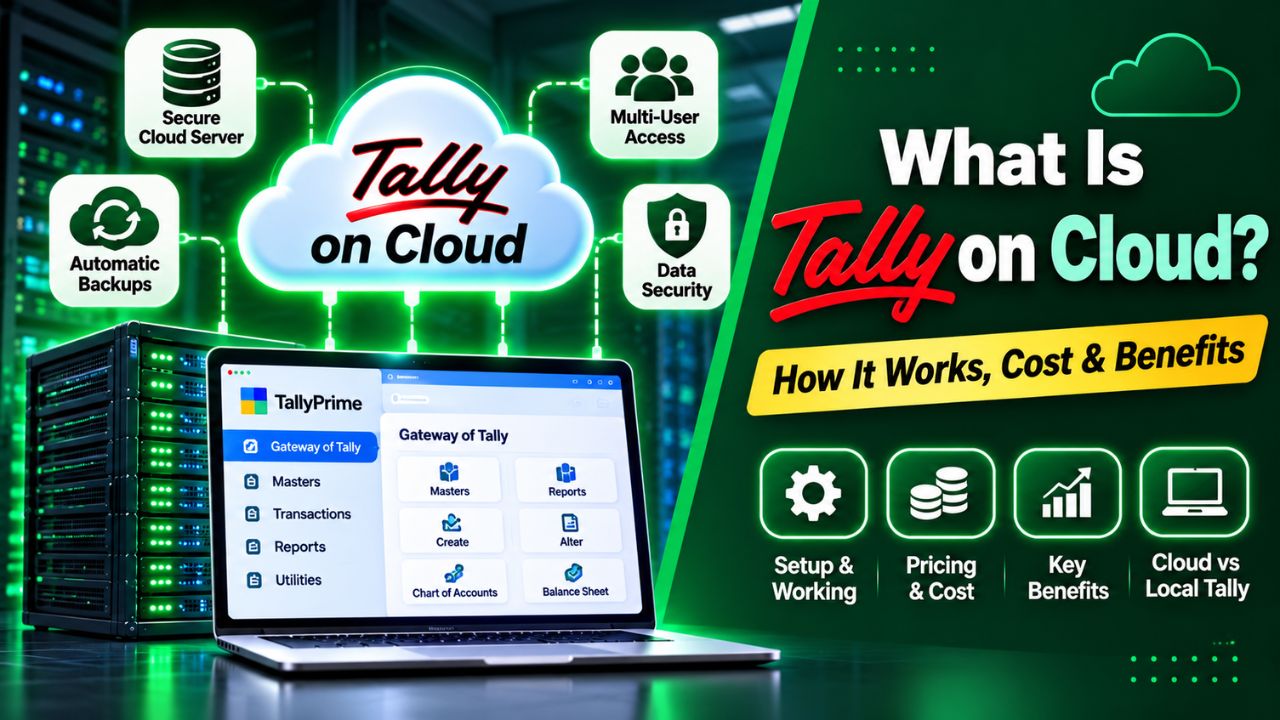
Managing Tally only from an office computer can become difficult when you need access from home, another branch, or while travelling. Tally on Cloud moves your working environment online for easier remote access.
TallyPrime Cloud Access provides a cloud based Virtual Computer where TallyPrime and business data can be accessed remotely. It also supports user management, browser or client access, and backup options for your data.
This guide covers how Tally on Cloud works, what it costs, what you need before starting, and how it compares with local Tally. You’ll see whether cloud access suits business needs.
Tally on Cloud means accessing and using TallyPrime through a cloud hosted environment instead of relying only on a computer or server located at your office.
With TallyPrime Cloud Access, you get a Virtual Computer where TallyPrime and your business data can be accessed remotely. You can connect through a browser or the supported client and work with TallyPrime from an authorised device.
In simple terms, your Tally working environment is available on a cloud computer rather than being tied to one physical office computer.
For example, if your accountant normally works from the office but needs to work from home, a cloud setup can provide access to the same hosted Tally environment without requiring physical access to the office computer.
One important point is that TallyPrime Cloud Access and the TallyPrime licence are separate. Cloud Access provides the cloud environment, while an eligible TallyPrime licence is still required.
The process is simpler than it may sound. TallyPrime runs inside a cloud based Virtual Computer, and you connect to that environment using the internet.
TallyPrime + Business Data → Virtual Computer → Internet → Your Device
Once your Cloud Access setup is active:
Tally currently supports browser based access as well as client based access. Browser access does not require a separate client installation, while the client provides a more desktop like experience on supported Windows systems.
The Self Service Portal is used to manage the Virtual Computer, users, backups and other administrative tasks.
The biggest difference is where the Tally working environment is hosted and how you access it.
| Feature | Local Tally | Tally on Cloud |
| Working environment | Local PC/server | Cloud Virtual Computer |
| Remote access | Additional setup may be needed | Built around remote access |
| Hardware | Local hardware required | Cloud infrastructure |
| Multiple locations | More configuration | Easier remote access |
| Internet | Less dependent for local work | Required |
| Maintenance | Local system responsibility | Less local infrastructure work |
| Backup | Depends on your backup setup | Cloud backup options available |
Local Tally can still be the better option if your business operates from one location and everyone works comfortably from the same computer or local network.
Cloud access becomes more useful when your business needs Tally from different locations or wants to reduce its dependence on a physical office machine.
The main reason businesses choose cloud access is flexibility. Your accounting environment is no longer limited to the computer sitting in your office.
You can work with TallyPrime from the office, home, or while travelling, as long as you have the required access and internet connection.
This is useful for business owners who regularly travel or accountants who work remotely.
If your business operates from multiple branches, a cloud environment can make centralised access easier.
Authorised users can work with the same centrally hosted data instead of maintaining separate working environments at different locations.
You do not have to depend entirely on a physical office computer for accessing TallyPrime remotely.
The cloud environment provides the Virtual Computer where your TallyPrime setup operates, reducing the need to maintain a dedicated local machine for remote access.
Cloud Access provides tools for managing users connected to the Virtual Computer.
This is useful when an accountant, business owner, manager, or other authorised employees need different levels of access.
TallyPrime Cloud Access provides automatic and manual backup options.
According to current Tally documentation, the Virtual Computer is backed up automatically each day when it is started for the first time, and administrators can also create manual backups. Backups can be downloaded to a local computer.
Instead of maintaining separate Tally environments across different locations, a suitable cloud setup can give authorised users access to one central working environment.
This can be especially useful for businesses with remote teams and multiple branches.
Tally on Cloud is most useful when remote access is a real business requirement, rather than simply because cloud technology sounds better.
It can be a good fit for:
For example, a business owner can review financial reports from home while an accountant continues daily transactions from the office, provided the selected licence and Cloud Access setup support the required users.
A small business with one office, one computer, and no requirement for remote Tally access may not gain enough from moving to the cloud.
In that situation, local Tally can remain a practical and cost effective option.
Before using TallyPrime Cloud Access, you need an eligible TallyPrime setup and the required Cloud Access subscription.
Current Tally documentation lists these prerequisites for TPCA:
For browser based access, Tally provides supported browser options. The current documentation also lists system requirements for client based access, including Windows support, minimum RAM and internet requirements.
Yes, you still need a TallyPrime licence.
TallyPrime Cloud Access is the cloud hosting/access service. It does not replace the TallyPrime software licence.
| Component | Purpose |
| TallyPrime licence | Gives you the right to use TallyPrime |
| Cloud Access | Provides the cloud hosted environment |
| Virtual Computer | Runs TallyPrime and your working environment |
| Internet | Connects your device to the cloud |
Tally’s current FAQ states that Cloud Access cannot be purchased as a replacement for the TallyPrime licence. You need an existing eligible licence or must purchase one separately.
If you already have TallyPrime, check the applicable licensing process before moving the licence to a Virtual Computer.
Tally on Cloud pricing depends on how many people need access and how much server resources your accounting work requires. A single user may need only a basic setup, while businesses with multiple accountants or branches may require more CPU, RAM, and storage.
For businesses looking for a managed Tally environment, QloudRDP offers plans starting at ₹649/month, with 18% GST charged separately. Each plan includes a managed Windows Server, NVMe storage, daily backups, free setup, and migration support.
| Plan | Users | Monthly Price | RAM | NVMe Storage |
| Tally Essential | 1 | ₹649 | 4 GB | 50 GB |
| Tally Ultra | Up to 5 | ₹2,199 | 8 GB | 100 GB |
| Tally Infinity | Up to 10 | ₹4,299 | 16 GB | 200 GB |
Prices are exclusive of 18% GST.
The Essential plan is suitable for individual accountants, CAs, and small businesses that need access from one login. Tally Ultra offers more resources for teams of up to five users, while Tally Infinity is designed for growing businesses with multiple branches and up to ten users.
All three plans include Windows Server, automated daily backups, 24/7 support, free setup, and free migration. CPU resources range from 2 to 8 vCores, depending on the selected plan.
Before choosing a plan, consider these factors:
You should also account for your existing TallyPrime licence separately, as cloud hosting does not automatically replace the software licence.
Security depends on the cloud infrastructure, account controls, user permissions, and how your business manages its credentials.
TallyPrime Cloud Access uses Tally.NET credentials and a Secure PIN for accessing the Virtual Computer. User access can also be managed through the available management portal.
The service also provides automatic and manual backup options, giving businesses a way to recover their cloud environment when required. Backup files downloaded to a local computer are password protected.
No cloud platform should be described as completely risk free. Good access management remains important even when the infrastructure is managed by the provider.
Moving your existing Tally setup to the cloud should be planned carefully, especially when it contains live accounting data.
First, confirm that your existing licence can be used with the planned Cloud Access setup.
Choose the configuration according to your users, workload, storage, and performance requirements.
Create a verified backup of your existing company data before starting the migration.
Purchase Cloud Access and connect to the Virtual Computer through the supported access method.
Install or update the required TallyPrime release and activate the licence according to Tally’s instructions.
Transfer or restore your existing company data into the cloud environment and check that the required companies open correctly.
Before switching completely, test:
Tally’s current setup flow includes purchasing Cloud Access, accessing the Virtual Office, configuring TallyPrime, and uploading or accessing data.
| Pros | Cons |
| Remote Tally access | Internet is required |
| Useful for multiple locations | Recurring cloud cost |
| Centralised working environment | TallyPrime licence is separate |
| Less dependence on local hardware | Migration needs planning |
| User management | Performance depends on suitable resources |
| Automatic and manual backups | Some local features may differ |
The important point is that cloud access solves specific problems. If your business does not have those problems, moving to the cloud may not be necessary.
Tally on Cloud is worth considering when your business needs remote access, multi location working, centralised data access, or less dependence on local infrastructure.
The right choice depends on your actual workflow. There is no need to move to cloud simply because it is available.
Read Also: How to Host Tally on Cloud
No. TallyPrime is the accounting software, while Tally on Cloud means accessing TallyPrime through a cloud hosted environment. Tally Solutions currently provides this through TallyPrime Cloud Access.
Yes. TallyPrime Cloud Access allows authorised users to access their Virtual Computer remotely through supported browser or client based access.
Yes. A TallyPrime licence is required separately. Cloud Access does not replace the TallyPrime licence, so both should be considered when calculating the total cost.
You generally need the following:
• TallyPrime Release 6.0 or above
• TallyPrime Cloud Access Client, where required
• Remote Desktop Connection availability
• Tally.NET ID and password
• Secure PIN
• A compatible device and internet connection
Tally on Cloud gives you a practical way to use TallyPrime without keeping your complete accounting environment tied to one physical office computer. It is particularly useful for remote teams, multiple branches, travelling owners, and businesses that need flexible access.
TallyPrime Cloud Access provides a Virtual Computer, remote access, user management, and backup options. However, Cloud Access is separate from the TallyPrime licence, so both costs and requirements should be considered before moving.
If your current local setup already handles your work comfortably, there may be no urgent reason to switch. But when remote access and centralised accounting become important, Tally on Cloud can make everyday Tally work much easier.